
What it does
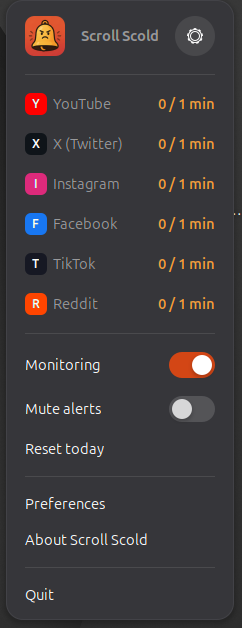
Scroll Scold is a GNOME Shell extension that keeps an eye on how much active time you spend on social media. YouTube, X (Twitter), Facebook, Instagram, TikTok and Reddit are preconfigured out of the box, and you can tune the list to suit you.
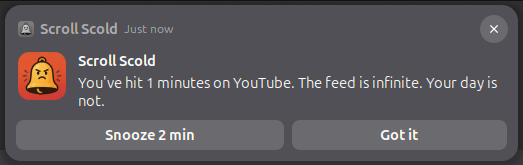
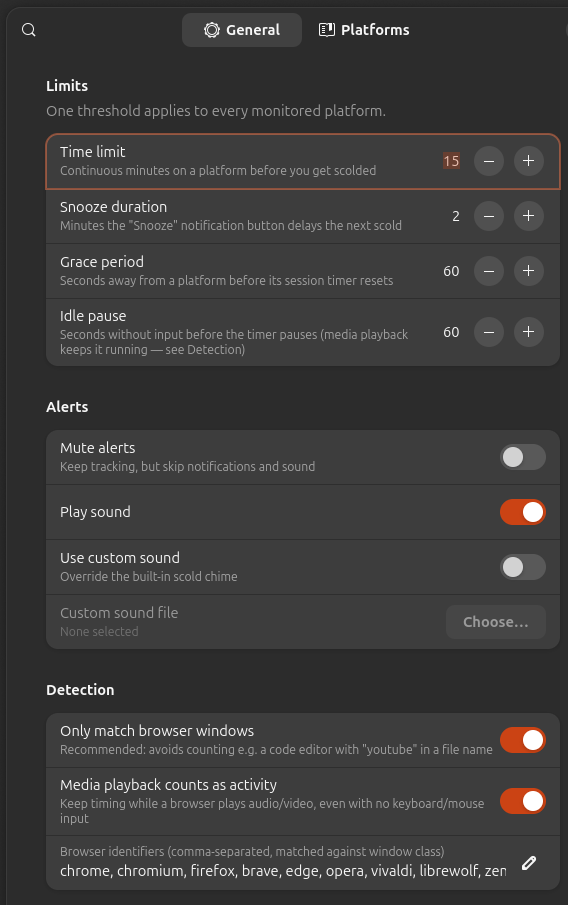
When you pass your daily limit — 15 minutes by default — it scolds you: a notification pops up, a chime rings, and the top-bar bell gets angry. You can snooze it for a couple of minutes, or take the hint and close the tab.
Because it reads focused window titles straight from GNOME Shell, it works across every browser and every profile with zero setup — no per-browser add-ons, no accounts, nothing leaves your machine.
See it in action
Features
-
Six-state indicator
The top-bar bell shows normal, approaching-limit, limit-reached, muted, paused and error states at a glance.
-
Active-use timing
The clock only runs while the tab is focused, with a configurable 60-second grace period when you switch away.
-
Idle-aware
Walked away from the machine? Time stops. Watching a video counts as activity, though — no loopholes.
-
Snooze or reset
Notification actions let you snooze for 2 minutes or acknowledge with “Got it” for a full threshold reset.
-
Scold chime
A built-in chime accompanies each scolding — or bring your own audio file for a personal touch.
-
Zero setup
Works across all browsers and profiles by watching window titles. Install it, and it just works.
Install
Scroll Scold supports GNOME Shell 46–50 (Ubuntu 24.04 LTS and newer).
The easiest route is the GNOME Extensions page. Prefer to build from source? It's two commands:
git clone https://github.com/BlackEyedHatMan/scroll-scold.git
cd scroll-scold && make install
Then enable it:
gnome-extensions enable scroll-scold@blackeyedhatman.com